THE PLATFORM FOR YOUR SECURITY OPERATION

Your entire operation.Under your control.

From assigning the first shift to delivering your client’s report. OnSight brings personnel, posts, attendance, and patrols together in one place.

Web dashboard + field operations · Android and iOS

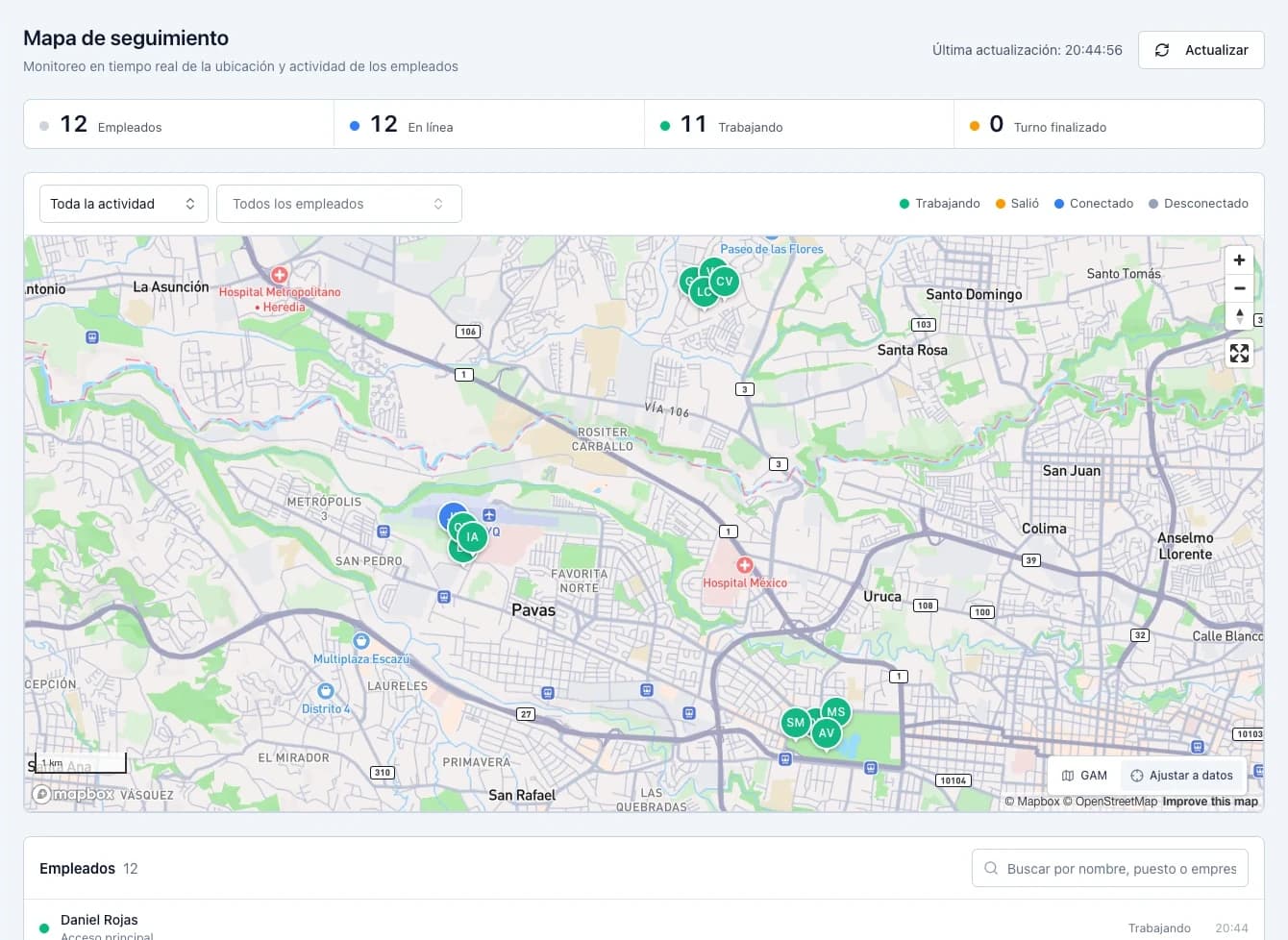
OnSight tracking map showing personnel locations and activity in a demonstration organization.
Demonstration environment

ONE OPERATION. ONE SHARED VIEW.

Stop piecing your operation together from messages, spreadsheets, and calls.

Connect your planning with what happens at each post. Activity stays organized by person, client, and shift, ready when you need it.

  1. 01

    Organize

    Clients, posts, schedules, and assignments.

  2. 02

    Verify

    Attendance, location, and patrol checkpoints.

  3. 03

    Supervise

    Coverage, activity, and uncovered posts.

  4. 04

    Document

    History and reports to follow up on your service.

EXPLORE THE COMPLETE SYSTEM

Every module has a purpose. Together, they connect your operation.

Explore the platform’s actual screens and discover what you can manage in each one.

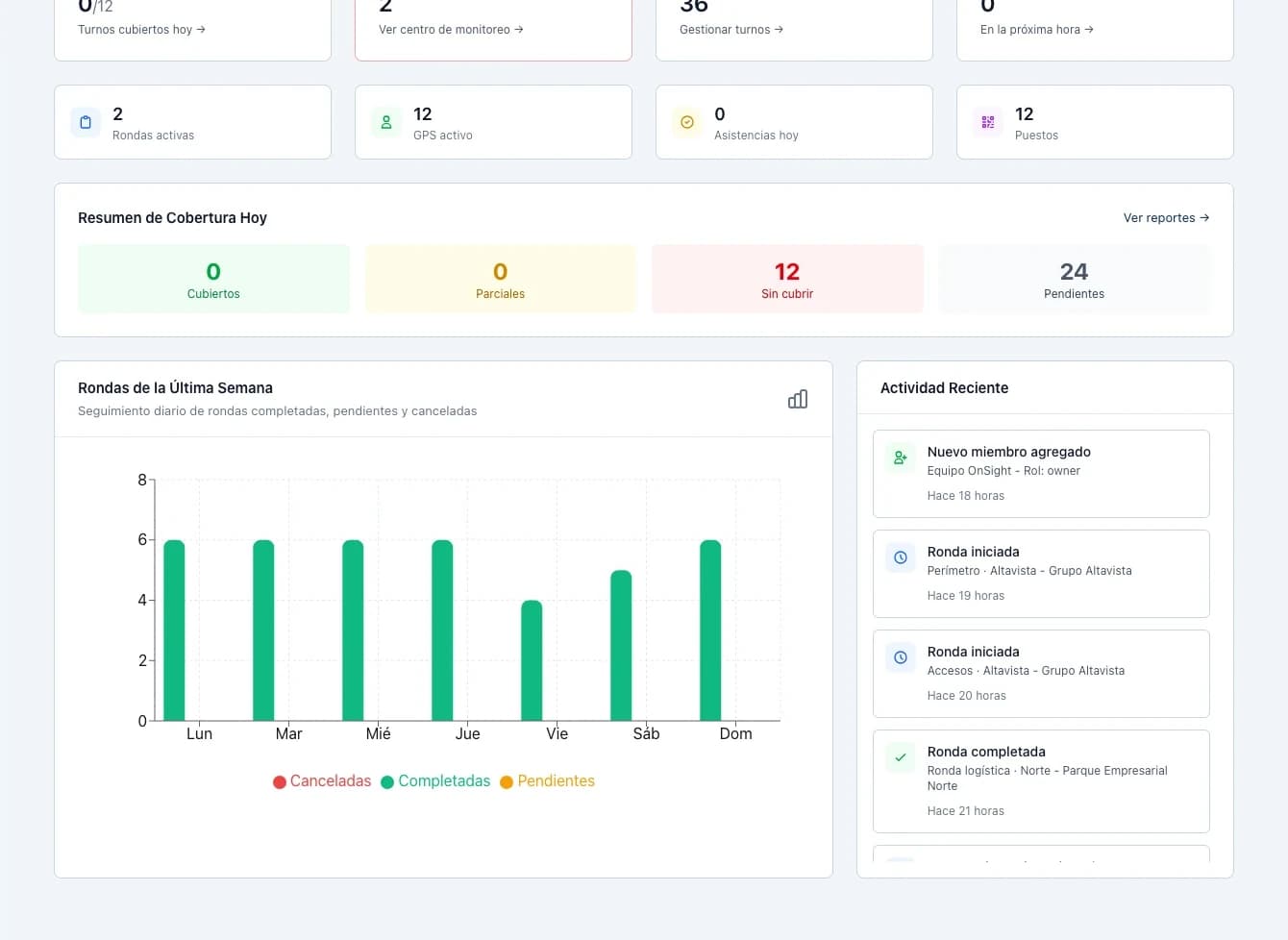
Operations overview

MODULE / 03

Operations overview

Start your day with a view of posts, recent activity, and the week’s patrols.

WHAT YOU CAN DO

  • Coverage and shift indicators.
  • Organization activity summary.
  • Direct access to operational modules.
View full screenshot

Actual OnSight screenshots with data from a demonstration organization. Screenshots show the interface in Spanish.

See the state of your service.
Before making the first call.

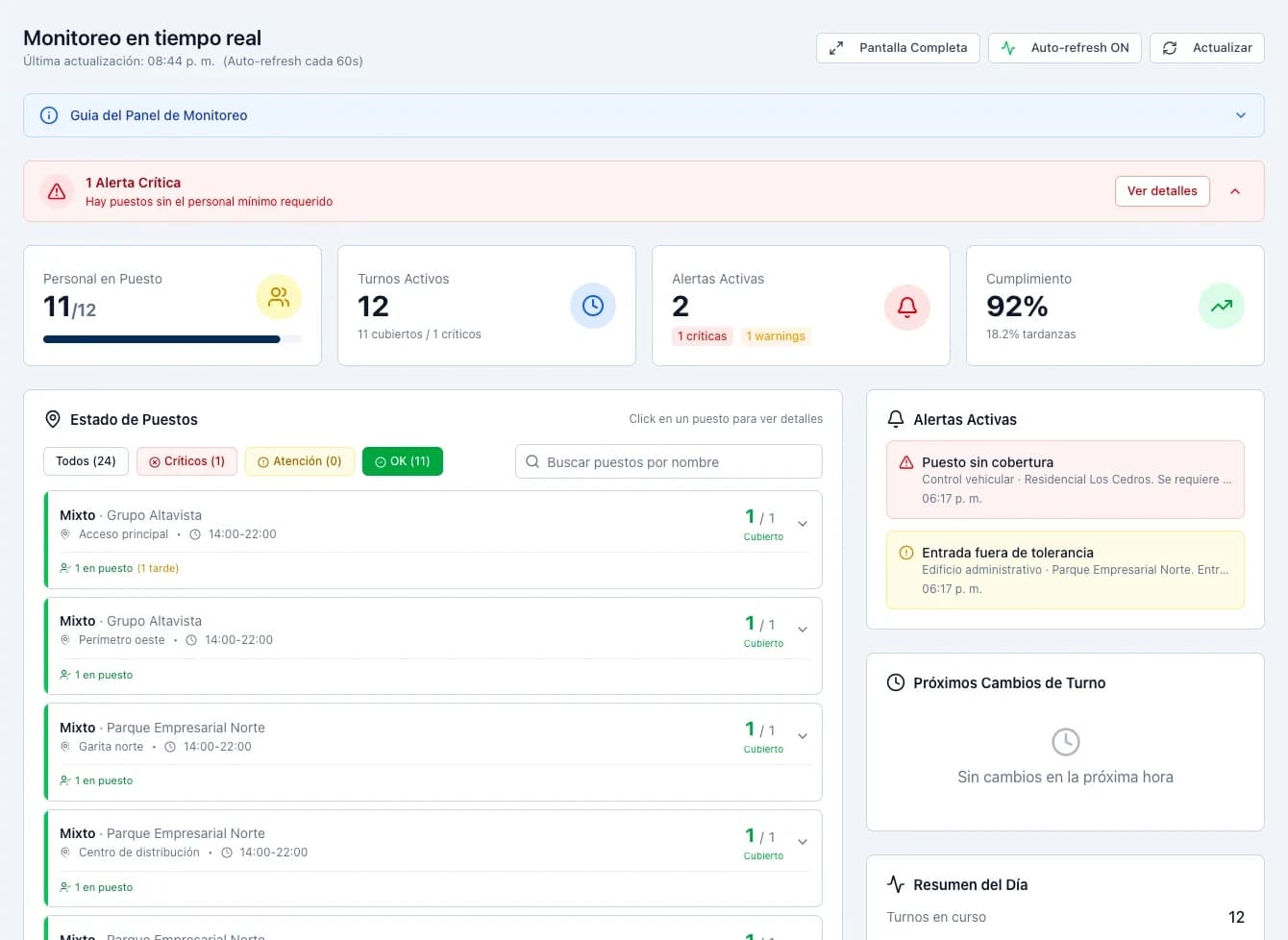
01 / SUPERVISION

See the state of your service. Before making the first call.

Review post coverage and locate personnel in the same workspace. Identify where attention is needed and check the context of each shift.

  • Post monitoring and coverage.
  • Personnel location and latest activity.
  • Shift changes and relief tracking.
Every record,
with its context.

02 / ATTENDANCE AND TRACEABILITY

Every record, with its context.

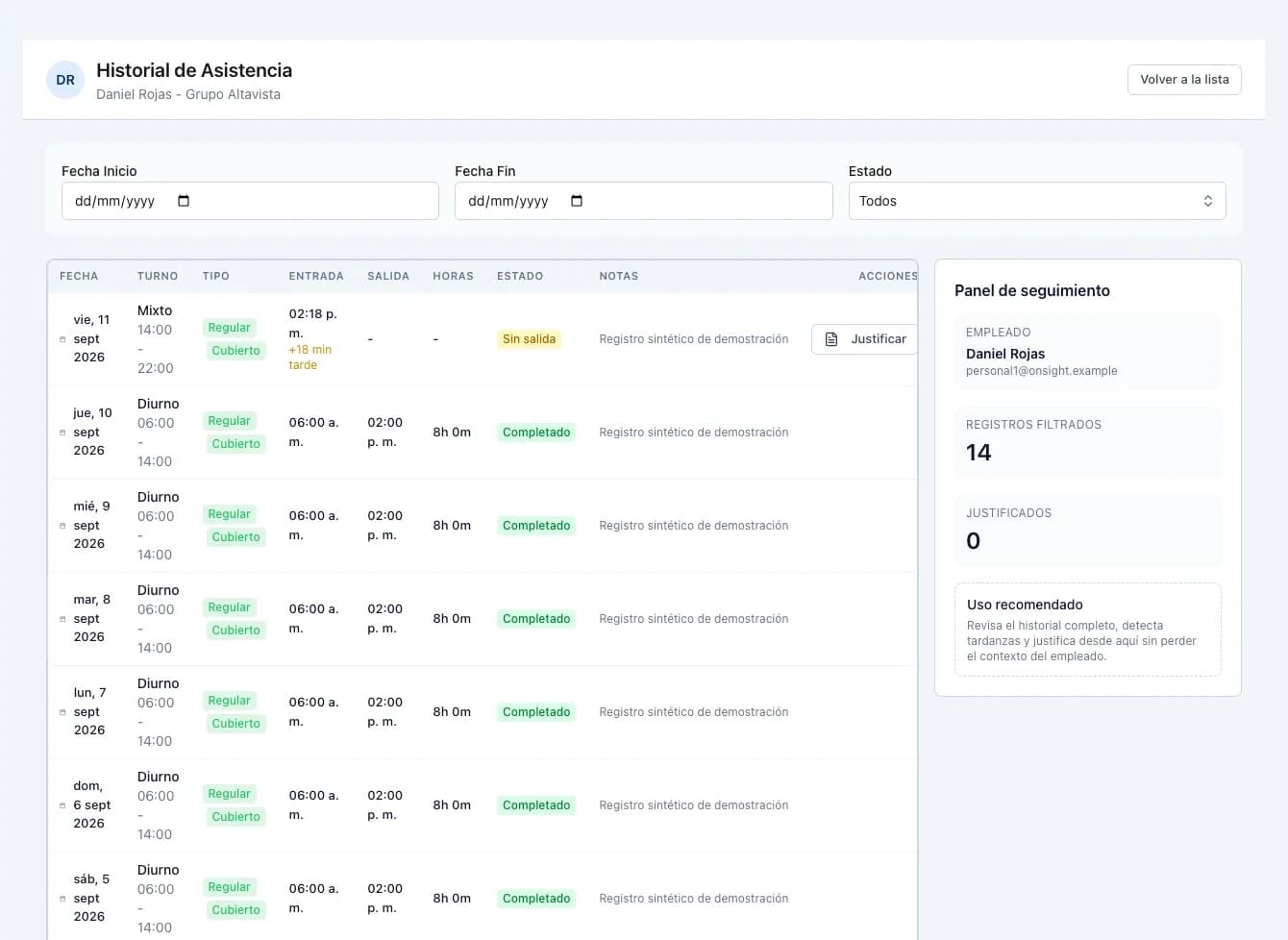
A check-in time only tells part of the story. OnSight connects attendance with the person, post, and shift to help you review punctuality, absences, and working hours.

  • Facial recognition and geofence validation in mobile attendance.
  • Tolerances configured by shift.
  • History and justifications by person or post.
From the planned route
to each verified checkpoint.

03 / PATROLS AND EVIDENCE

From the planned route to each verified checkpoint.

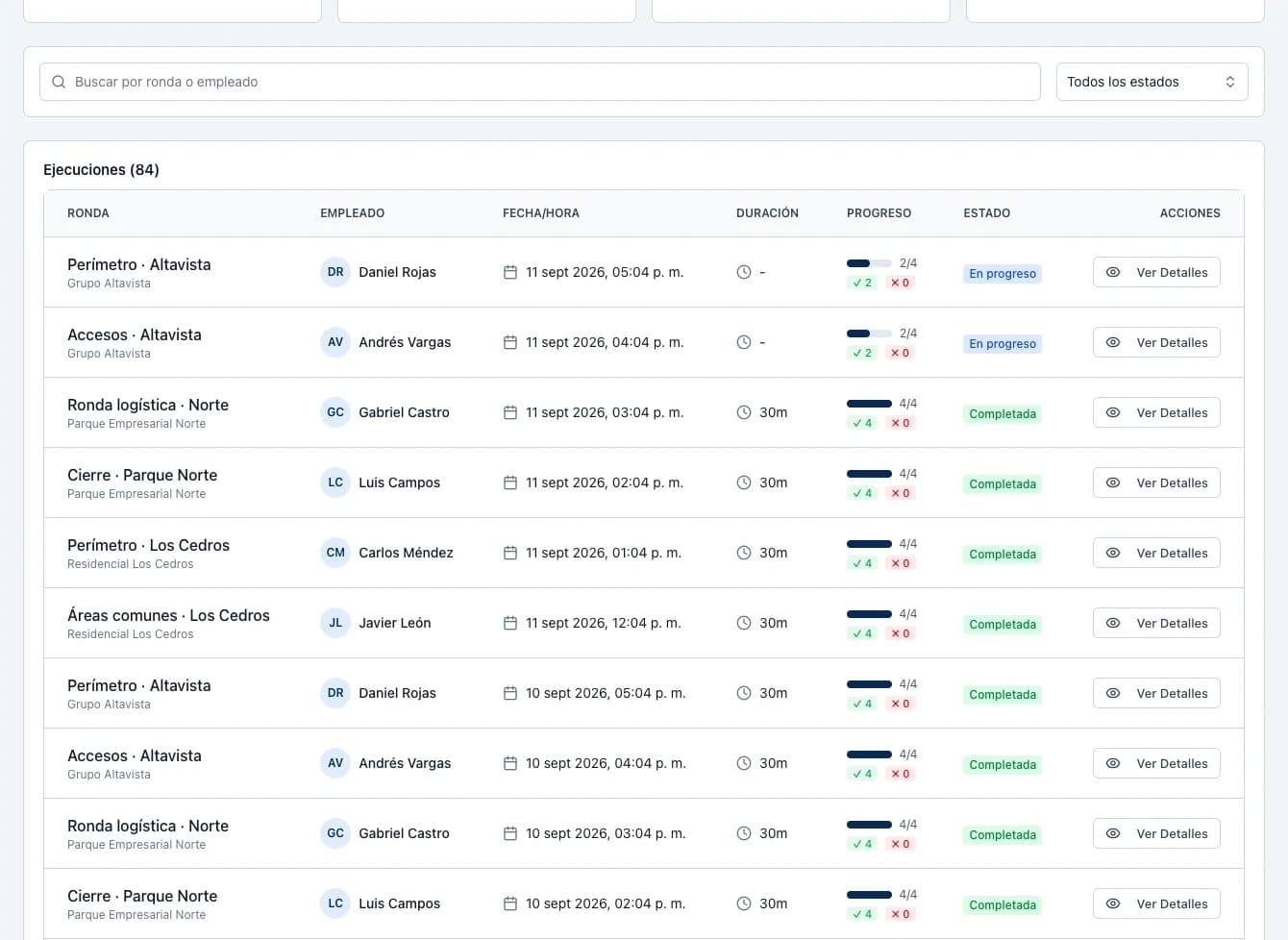
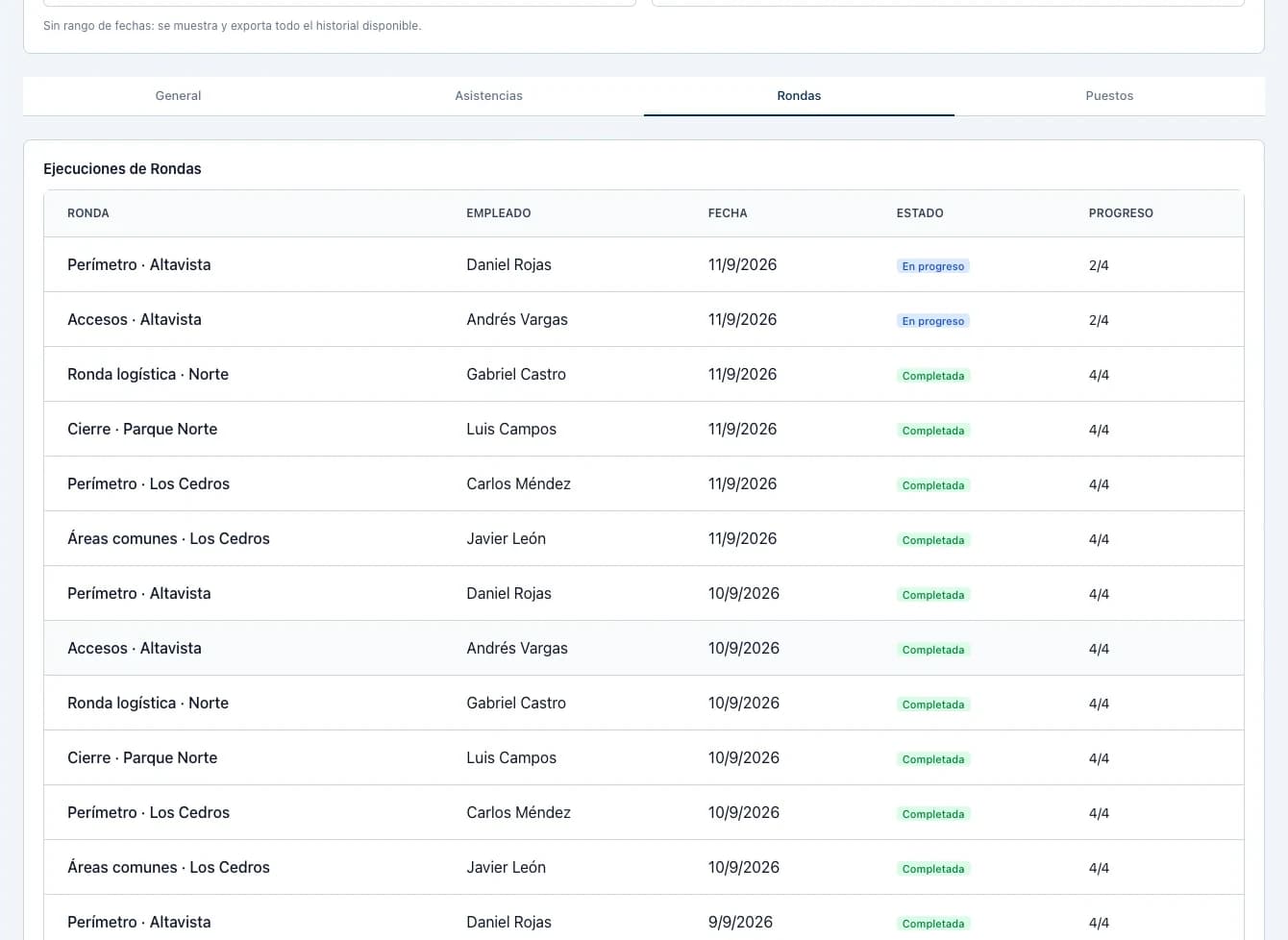
Design templates, assign personnel, and review execution history. Checkpoints, times, and observations remain available to follow up on your service.

  • NFC or QR checkpoint verification.
  • Status of each patrol and checkpoint.
  • Comments and photographs associated with verifications.
The information you need.
Ready to share.

04 / REPORTS

The information you need. Ready to share.

Review operations by period and company. Export attendance, patrol, and compliance reports to bring information to your service reviews.

  • General reports and detailed views.
  • Coverage by post and employee.
  • Excel and PDF files from the platform.

FROM THE POST TO THE OPERATIONS CENTER

Your team in the field. Connected to the whole operation.

Mobile operations connect personnel actions with the records supervisors review on the web.

  • Check-in and check-out

    Attendance records with a photograph, facial recognition, and location.

  • NFC and QR codes

    Post identification and checkpoint verification.

  • Assigned shifts

    Schedules and available posts for personnel.

  • GPS location

    Location reports for personnel tracking.

Android and iOS · Access from authorized devices

CONTROL FROM ADMINISTRATION

A clear structure. Access under control.

Organize team responsibilities and the devices participating in your operation.

Roles and responsibilities

Separate administration, supervision, and field personnel responsibilities.

Organization by client

Connect companies with their posts, patrols, and assigned personnel.

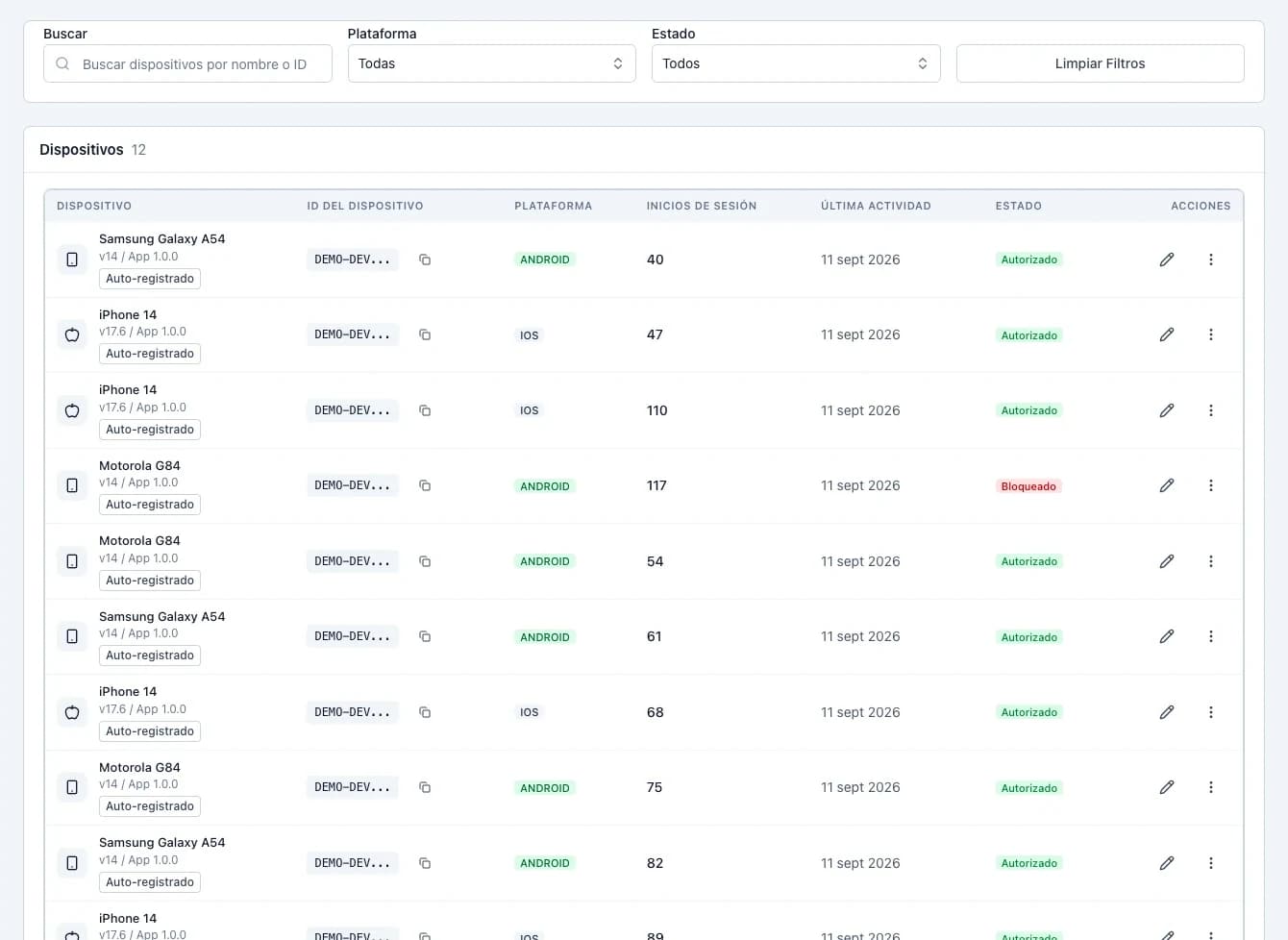
Authorized devices

Review registered devices and block those that should no longer have access.

Identity and geofencing

Validate faces and locations in mobile attendance workflows.

Authorized devices

FROM SETUP TO OPERATIONS

An organized start. A connected operation.

  1. 01

    Define your structure

    Register companies, locations, posts, and their perimeters.

  2. 02

    Prepare your team

    Assign roles, shifts, and patrols. Authorize devices.

  3. 03

    Start supervising

    Review attendance, coverage, and routes from the dashboard.

Field technology

The right place. The right access.

From checkpoint to device: explore the checks that connect your team to the operation.

INTERACTIVE DEMONSTRATIONONSIGHT / FIELD SYSTEMS
80 mPost P—04N
P—04GPS
GPS / P—04

Distance to post

42m
Configured radius80 m
Inside the perimeter
Obtain the device location
01 / 03
01 / Location

A perimeter around the post lets you check whether the worker is in the permitted location.

The 80 m radius is illustrative. Validation uses the device location and the geofence configured for the post.

  1. 01

    Obtain the device location

  2. 02

    Compare the distance with the post radius

  3. 03

    Validate presence inside the perimeter

Pricing

Sized to your operation

Prices in US dollars, per month.

Starter

For small operations

$59per month

  • Up to 5 users
  • Basic rounds
  • Attendance control
  • Email support
Get started

Most chosen

Professional

For growing companies

$299per month

  • Up to 50 users
  • Unlimited rounds
  • Face recognition
  • Unlimited QR or NFC posts
  • Advanced reports
  • Priority support
Get started

Enterprise

For large organizations

Custom

  • Unlimited users
  • Everything in Professional
  • Custom API
  • Dedicated 24/7 support
  • Training for your team
  • Guaranteed SLA
Talk to sales

FREQUENTLY ASKED QUESTIONS

Before you get started.

Can I manage multiple clients in one organization?

Yes. Register client companies and link their posts, personnel, shifts, and patrols within your organization.

Are NFC tags required?

Posts support NFC identification and QR codes. The configuration depends on how you want to record and verify activity at each location.

How are check-ins and check-outs validated?

The mobile workflow includes photographs, facial recognition, and location validation. Geofences and tolerances are configured for the relevant posts and shifts.

Can I review previous operations?

Yes. The platform includes attendance and patrol histories, reports by period, and shift compliance details.

What does my supervision team need?

The dashboard runs in a browser. Authorized team members can manage the organization and use modules according to their assigned role.

Are the screenshots from the actual system?

Yes. They are application screenshots from a demonstration organization with test companies, personnel, posts, shifts, and activity. They contain no real customer information.

Discover OnSight with your operation in mind.

Tell us how many clients, posts, and people you coordinate. We’ll show you how that work fits into the platform.

Request a demonstration
OnSight — Post, shift and round control for private security | OnSight | ATSC Group LLC